en


Signing in takes a username, a password and the Login button in the header. After that, the member area is where your wallets, your bank details, the daily check-in and the GameSense shortcut all live, and a few of those settings decide whether a game will accept your bet.
This page covers the sign-in itself, password and username recovery, what each member-area section does, and what is and is not published about an app.
The same form serves every device. There is one set of credentials, so the ACE66 online casino login you use on a laptop is the one you use on a phone browser.
That profile step is not decoration. Withdrawals are paid to an account in your own name, so the name on your profile and the name on your bank account need to match before money can move.
One username and password reach the lobby, the cashier, the daily check-in and your rebate history.
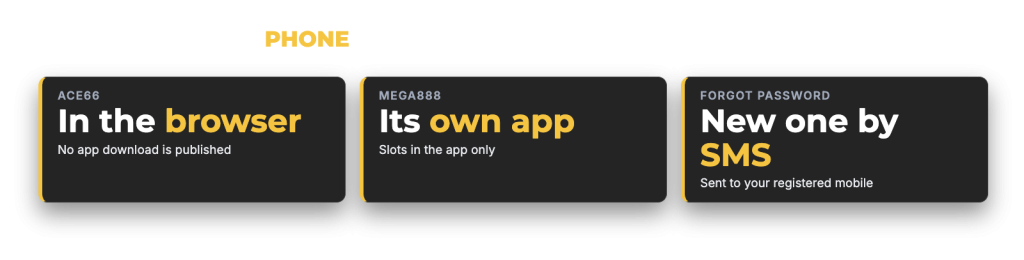
Password recovery runs through your mobile number. Press Forgot Password on the login form, and a new password is sent by SMS to the number registered on the account. Sign in with it, then change it to something of your own under Change Password in My Account.
If the SMS does not arrive, contact 24-hour live chat rather than trying the form again and again. A forgotten username is also a live chat job: give the mobile number registered on the account and support can take it from there.
One more case belongs here. If the registration form tells you that your personal details are already in use, stop and speak to live chat. Only one active account per member is allowed, and opening a second one voids bonuses and winnings, so an account that already carries your details needs to be sorted out through support instead of worked around.
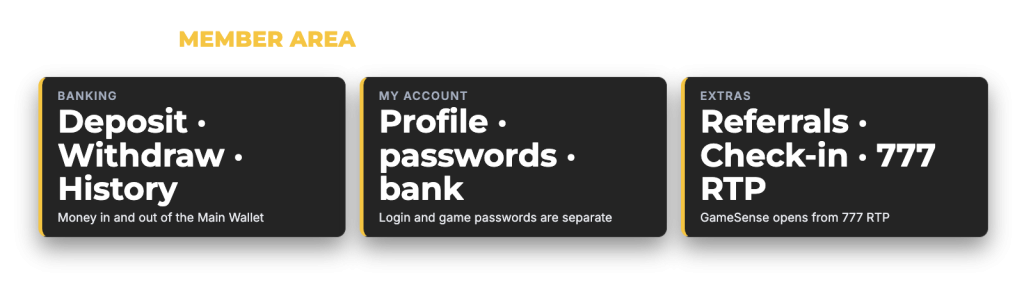
Everything after sign-in sits in three groups plus two floating shortcuts.
| Member area section | What you do there |
|---|---|
| Banking: Deposit | Choose a route, enter an amount and upload a receipt where one is needed |
| Banking: Withdraw | Send winnings to a saved bank account or e-wallet |
| Banking: History | Check past deposits, withdrawals and their status |
| My Account: Profile | Keep your full name and contact details current |
| My Account: Change Password | Replace the login password, including one sent by SMS |
| My Account: Change Game Password | Set the separate password used by provider wallets |
| My Account: Bank Details | Add or edit the bank or e-wallet account that receives withdrawals |
| My Account: Message | Read the inbox, where reward notifications arrive |
| Referrals | Your referral code, link and QR code, plus your downline list and total bonus |
| Daily Check-In button | Open the seven-day sign-in calendar |
| 777 RTP button | Open GameSense, the game shortlisting tool |
Two of these deserve a second look. The inbox is not a marketing folder, because reward notices such as the weekly rescue offer arrive there. And Bank Details is worth checking before you ever request a payout, since the cashier enforces a withdrawal minimum of MYR 100 and pays only to a matching account name. The mechanics of both sides of the cashier, including the MYR 30 deposit floor and the one-time play-through on every deposit, are set out with the full deposit and withdrawal limits.
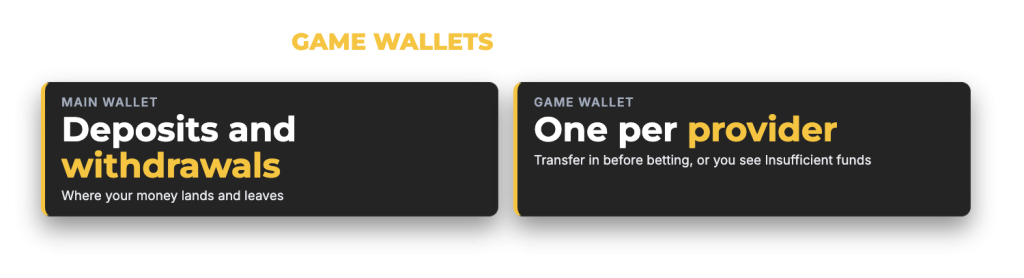
Money does not arrive in a game by itself. Deposits land in your Main Wallet, and withdrawals are taken from it. Each provider then has its own Game Wallet, and credit has to be transferred from the Main Wallet into that provider’s wallet before you can bet. Skip the transfer and the game reports Insufficient funds, even though your balance is clearly sitting in the account.
So the habit is simple. Pick the provider first, move the amount you plan to play, then open the game. When you are finished, move what is left back before you request a payout, because the cashier pays out of the Main Wallet.
Provider wallets use their own game password, which is not the password you sign in with. You set or replace it under Change Game Password in My Account. If a provider refuses your login password, set or reset the game password there. Keeping the two different is also good practice, since your sign-in credential then stays used for one thing only.
No app, APK file, App Store listing or Google Play listing is published on the site. There is no ACE66 Malaysia casino login download to install, and nothing to sideload. The platform runs in a mobile browser instead, which is why a separate login app is not part of the setup: the lobby, the cashier, the check-in calendar and GameSense all load on a phone the same way they load on a desktop.
One provider works differently. Mega888 is played inside its own app, and its bonus credit applies to slots in that app only. It is the one app in the lobby.
Be careful with any file offered to you as an ACE66 app through a chat group, a social post or an ad. Nothing of that kind comes from us. The same caution applies to anyone contacting you as staff and asking for a deposit into an account you have not seen in the cashier, which is a known scam pattern. Verify anything unusual with 24-hour live chat first, and read up on keeping your account safe before you act on a message.
Add the site to your home screen if you want a one-tap route in, and it opens in the browser as normal. Use the browser’s own password manager rather than writing credentials down. If a page looks stale after a deposit or a bonus claim, press Refresh on Home so the member area shows your current promotion status before you go to the cashier.
A gambling account is a money account, so treat the password like a banking password: unique, not reused anywhere else, and never shared. Log out on a shared or borrowed device rather than closing the tab, and keep the mobile number on your profile current, because that number is the recovery route for the password and the identity check when you contact support.
Keep the profile itself accurate too. A mismatch between your name, your bank account and your registered details holds a payout back. If you are still deciding whether to open an account at all, start with what is in the lobby and how the account works.